 Todos a la Mesa
For iPhone, iPad and Apple Watch
One weekly menu the whole family can eat
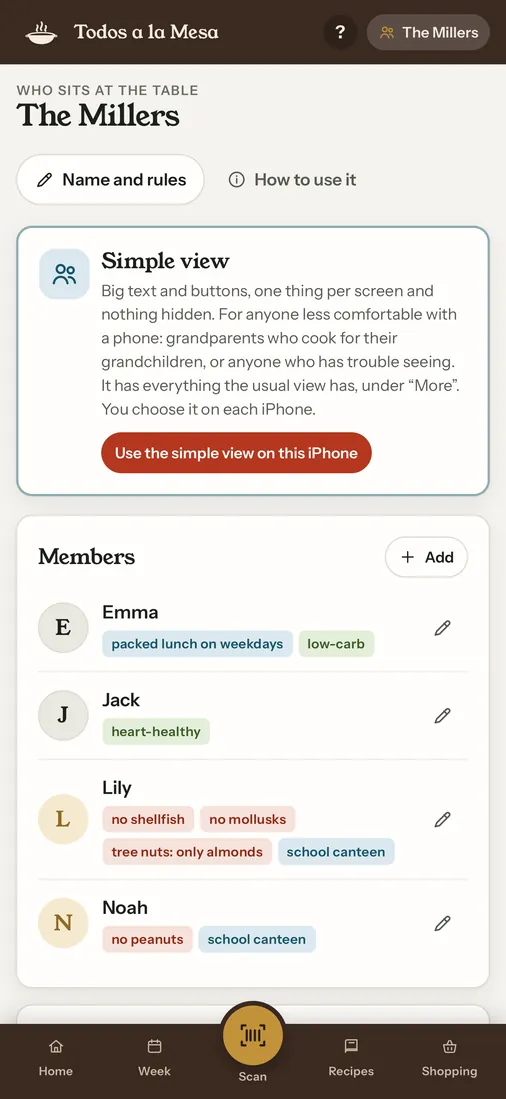
Tell Todos a la Mesa who's at the table and what each person can't eat: allergies, intolerances, diet. In one tap you get the whole week, with dishes that work for everyone, and a shopping list sorted by aisle.
Free for 7 days with the whole app. Then one payment, once.
No subscription, no accounts, no ads.
What it takes off your plate
Deciding what to cook every day, checking it against everyone's allergies and not forgetting anything at the store. The app does it in seconds, and you change whatever you want.
A menu for everyone
Each person with their own list: shellfish, tree nuts one by one, egg, gluten, dairy and the rest of the 14 major EU allergens. Only dishes the whole table can eat make it in.
Balanced without thinking
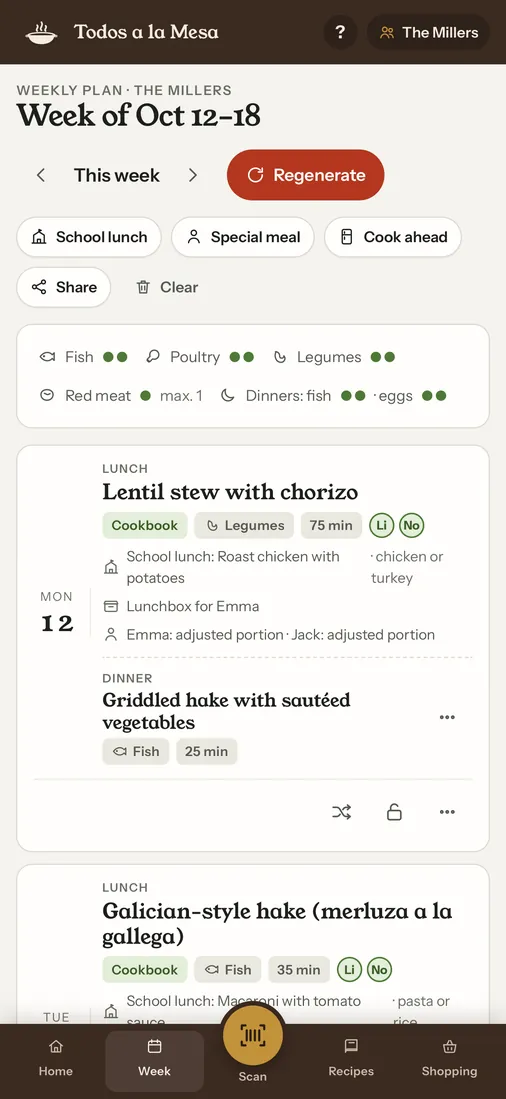
Fish, poultry and legumes twice a week, red meat in moderation, never the same thing two days in a row.
Lunch, dinner and school
Plan lunch, and dinner too if you like, without repeating what the kids had at the school canteen. Packed lunches and guests with their own allergies.
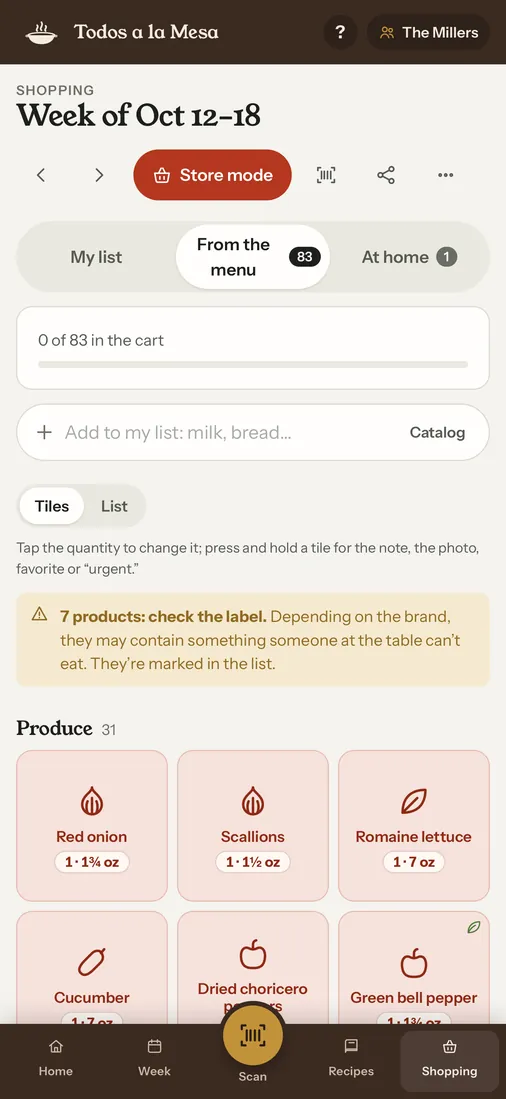
The shopping, done
Repeated items are added up (two onions, not one per recipe), sorted by aisle and flagged when the label is worth a second look.
Take a look
Swipe to see the week, what you have at home, a meal with other families, the scanner and more.
What's new in 2.0
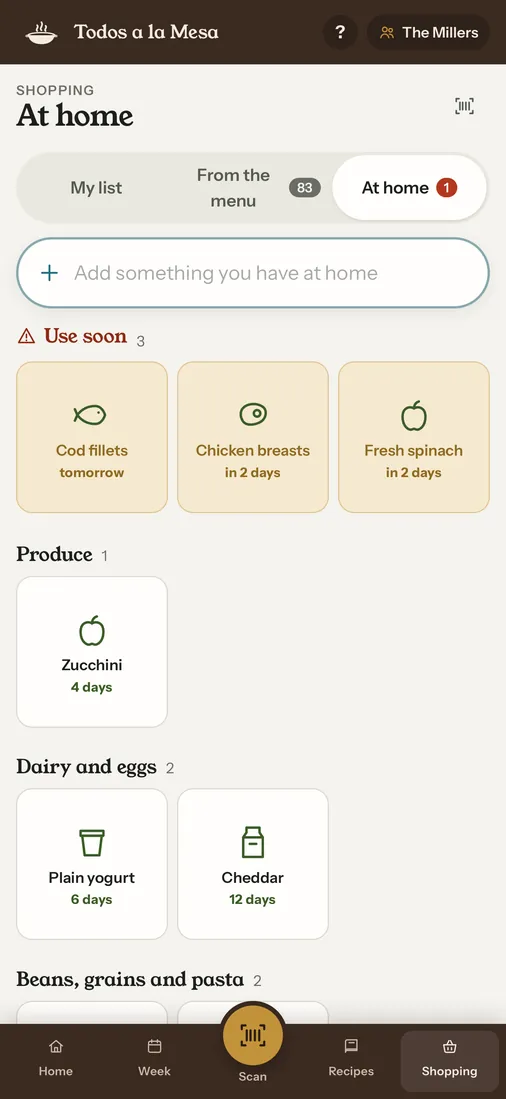
At home
Note what's in the pantry and the fridge, with approximate use-by dates. The menu uses up what's about to expire, and “Use soon” shows what to cook first.
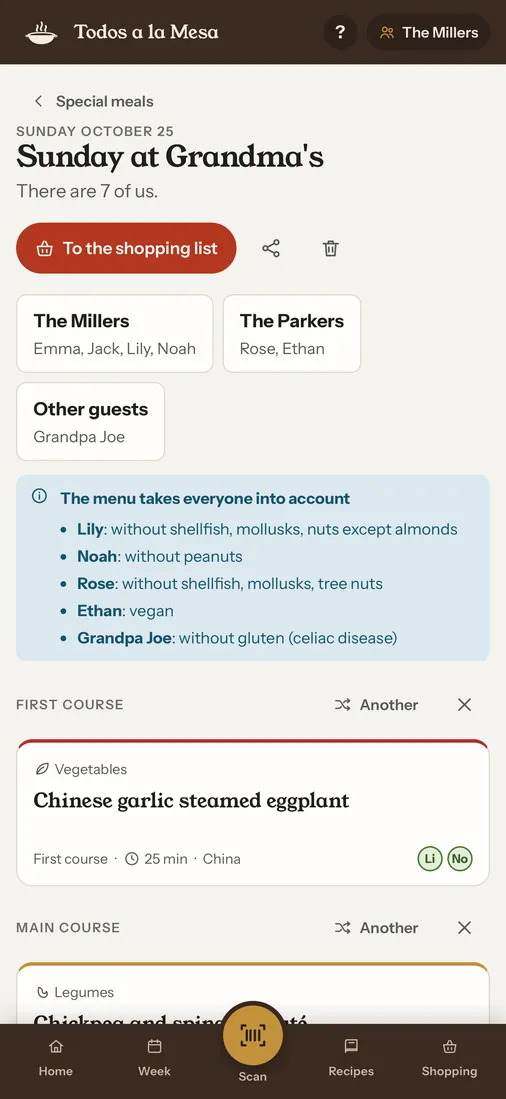
The shared table
A special meal with other families? They send you their allergy card, and you get one menu and one shopping list that work for everyone.
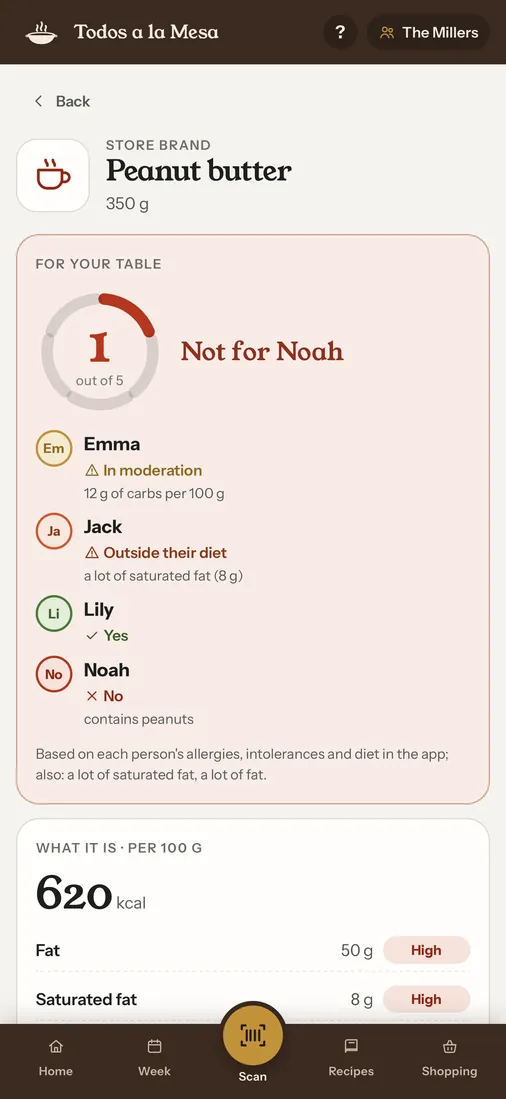
Barcode scanner
Scan a product at the store: a 1–5 rating for your table and a yes or no for each person. If the allergen data is missing, it never says yes.
Simple view
Big text and big buttons, one thing per screen. For grandparents who cook for the grandkids, synced through iCloud.
Siri, widget and Lock Screen
Ask Siri “What are we eating today?” or add to the shopping list by voice. Check items off from the widget, and keep the cooking timer on the Lock Screen.
Apple Watch and English
The menu, the shopping list and the recipe steps on your wrist. And the whole app in English: US with cups, ounces and °F, UK with grams.
More than 1,200 recipes, written for the app
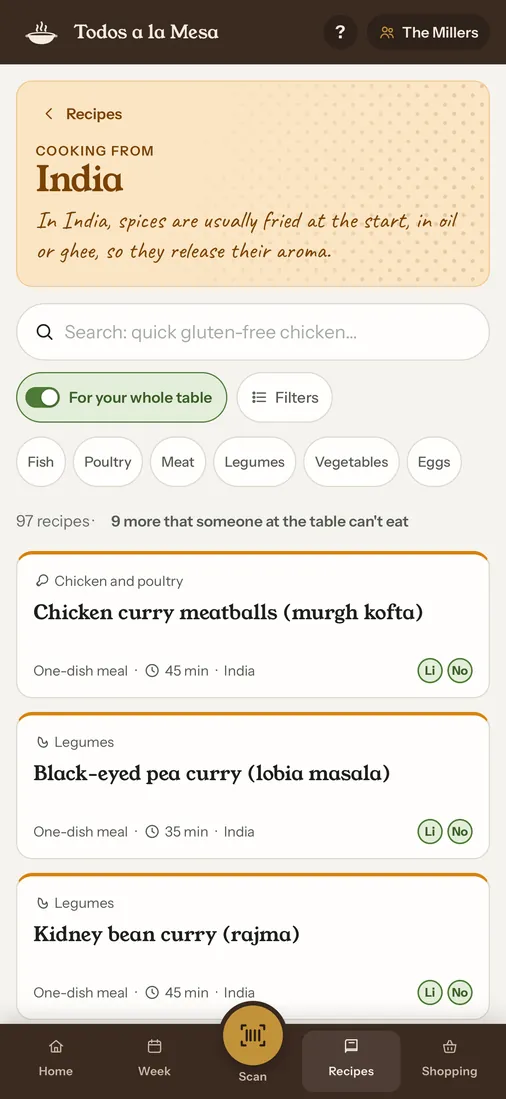
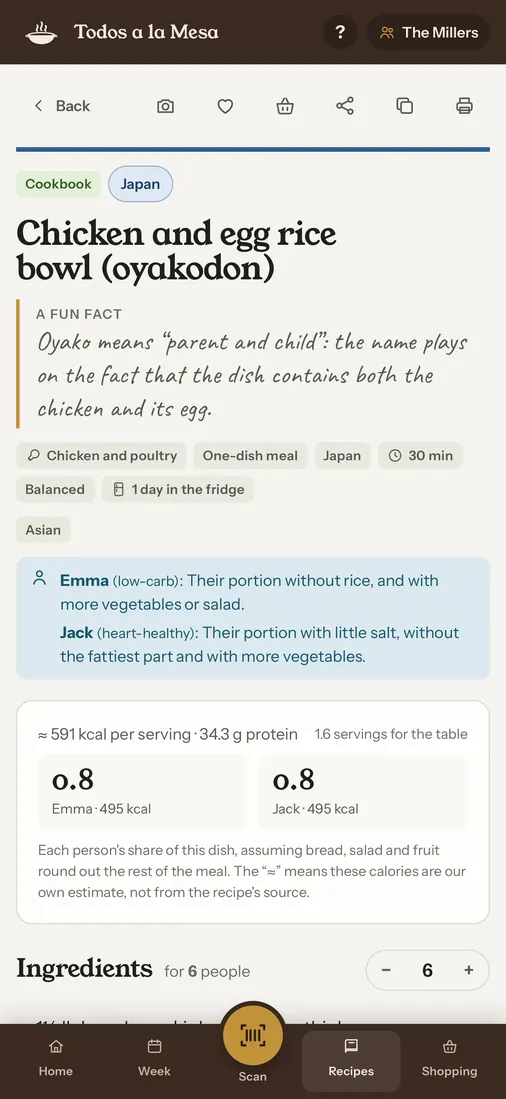
Spanish home cooking region by region, from lentil stew to Galician-style hake, plus home dishes from Italy, Mexico, China, Japan, India, Korea, Thailand and Vietnam. Short steps, clear quantities and a sign of when it's done. Each recipe comes with a fun fact.
Got your own? Type them in, paste a message or bring them in from a website.
Simple pricing
No subscription, no accounts, no ads and no trackers.
Trial
7 days free
The whole app from day one. Nothing is charged automatically when it ends.
Unlock
Pay once
A single purchase, for good. With Apple Family Sharing it covers your whole family. Without it you can still see what you have, but not plan new weeks.
AI, if you want it
3 free uses
Optional AI features come with 3 free uses. After that, optional packs, also without a subscription.
The App Store shows the unlock price in your currency.
Questions
What does Todos a la Mesa do?
It plans your family's weekly menu, lunch and, if you like, dinner too, around what each person can't eat: their allergies, intolerances and diet. The shopping list comes with it, sorted by aisle.
How much does it cost?
The download is free and you get 7 days with the whole app. After that, a single in-app purchase unlocks it for good, with no subscription. The App Store shows the price in your currency. Nothing is charged automatically when the trial ends, and everything you've made stays. With Apple Family Sharing, one unlock covers your whole family.
AI features are separate and optional: 3 free uses, then optional packs.
Which allergies and intolerances does it handle?
The 14 major allergens of EU food law: gluten, crustaceans, mollusks, fish, egg, milk, peanuts, tree nuts, soy, sesame, celery, mustard, sulfites and lupin. Tree nuts are marked one by one, so someone who can eat almonds but not cashews is covered. It also handles celiac disease and lactose intolerance.
Can each person follow a different diet?
Yes: vegetarian, vegan, keto, low-carb, heart-healthy or Mediterranean. If someone is vegetarian or vegan, every dish in the plan works for them. For keto, low-carb or heart-healthy, the dish is the same for everyone and the app tells you how to adjust that person's portion.
Is it in English? Does it use cups or grams?
Yes. In US English, recipes use cups, ounces and °F. In UK English, they use grams and British words. The app follows your iPhone's language and region, and it's also available in Spanish.
What kind of recipes are there?
More than 1,200 original recipes written for the app: Spanish home cooking region by region, plus home dishes from Italy, Mexico, China, Japan, India, Korea, Thailand and Vietnam. Each one comes with a fun fact. You can also add your own.
How do I plan a meal with another family?
Create a special meal and ask the other families to send you their allergy card from the app. You get one menu and one shopping list for everyone at the table.
How does the barcode scanner work?
Scan a product and the app looks it up in Open Food Facts, an open database. It rates it from 1 to 5 for your table and says yes or no for each person. If the product's allergen data is missing, it never says yes.
Do I need an account? Are there ads?
No. No accounts, no ads and no trackers. Your data stays on your device and, if you share it with your family, in your own iCloud.
Does it work on iPad, Apple Watch or Android?
It works on iPhone and iPad with iOS 17 or later, and on Apple Watch, where you can see the menu, the shopping list and the recipe steps. There's no Android version for now.
Help and contact
About allergies. The app marks the allergens in each recipe and leaves out of the plan what someone at the table can't eat. But detection is automatic and can be wrong, and no recipe knows what's in the exact product you buy. Always read the labels. If someone at home has a serious allergy, the final word is yours and their doctor's.
Questions, bugs or ideas? Write to luisalvarezacosta@gmail.com. You can also read the privacy policy (in Spanish and English).
This week, let someone else plan the menu
Download it, say who's at the table, and in a minute you have the week and the shopping list.
Free for 7 days with the whole app. Then one payment, once.
No subscription, no accounts, no ads.